



If you have just moved to Sweden, you will encounter BankID within the first week. You need it to sign into Skatteverket, book a healthcare appointment through 1177, register for the housing queue, file a tax return, activate Swish, sign a rental contract digitally, and log into most government and commercial services. Sweden is built around BankID in a way that is difficult to fully appreciate until you try to do anything official without it.
- What BankID actually is
- The three prerequisites — in order
- Before you go to the bank: the Skatteverket ID card
- The May 2026 change: NFC passport scanning for EU/EEA/UK citizens
- Which bank to choose and how each one works
- ICA Banken — best for EU/EEA citizens, fully digital
- Nordea — good for EU/EEA, with monthly fee
- Swedbank — in-person for foreign documents
- SEB — postal first, then branch visit
- Handelsbanken — traditional, branch-first
- Step-by-step: activating Mobile BankID once you have the code
- What to do immediately after getting BankID
- Freja eID+: the alternative when BankID isn’t possible
- Security: what to know
- If your bank refuses
This guide explains exactly what you need, in what order, and what to do at each bank — including a significant change introduced in May 2026 that makes the process considerably easier for EU/EEA citizens than it was even a year ago.
If you are still at an earlier stage — trying to understand what a personnummer is and how to get one — start with my guide on how to get a Swedish personnummer. And if you want to understand what BankID actually is and how it compares to Freja eID, I covered that in detail in my post BankID vs Freja eID explained.
What BankID actually is
BankID is Sweden’s national digital identity system, owned and operated by a consortium of Swedish banks through a company called Finansiell ID-Teknik BID AB. Over 8.5 million Swedes use it actively — in a country of about 10.5 million people — and the system processes several billion authentications per year.
Every time you log into a Swedish government portal, sign a document digitally, approve a payment, or confirm your identity for a service, you are using BankID. It operates through a PIN (six digits) combined with a device binding — meaning your BankID is tied to your specific phone. If you lose your phone, your BankID goes with it (though it can be revoked and reissued).
The standard version everyone uses is Mobile BankID — an app on your smartphone. There is technically also a “BankID on file” installed on a computer, but this is essentially obsolete. Get Mobile BankID.
The three prerequisites — in order
BankID has three hard requirements, and they must be completed in sequence. You cannot skip any step.
1. A personnummer — not a coordination number (samordningsnummer). This is the most important distinction in this entire guide. A coordination number looks similar to a personnummer and is used for tax purposes when you are in Sweden for less than 12 months, but it does not qualify you for BankID. You need a personnummer, which requires being registered in the Swedish population register (folkbokförd) through Skatteverket. That registration requires proving you will live in Sweden for at least 12 months.
2. A Swedish bank account at a participating bank — with a full account at one of the banks that issues BankID (all major Swedish banks do). Note that this is a proper bank account, not just a basic payment account. The banks issue BankID as a separate service on top of the account.
3. A way to verify your identity — this is where your nationality and passport type determine which route is available to you.
Before you go to the bank: the Skatteverket ID card
For most foreigners, getting BankID requires a visit to a bank branch. And for that visit to succeed, you need an identity document that Swedish banks will actually accept. Foreign passports alone are frequently rejected, particularly at traditional banks, due to anti-money-laundering verification requirements.
The document that solves this is the Skatteverket ID card — a physical identity card issued by the Swedish Tax Agency to residents who are not Swedish citizens. Foreign residents cannot get the police-issued national ID card (that is reserved for Swedish citizens), but this card is equally accepted and contains a biometric chip.
Cost: 400 SEK, paid before your appointment by bank transfer to Bankgiro 389-0100 (Skatteverket), with your personnummer as the reference.
How to apply: Book an appointment through Skatteverket’s online reservation system. At the appointment, your photo and biometric data are collected, your foreign passport is checked, and if you are from outside the EU/EEA, your Swedish residence permit card must also be present. The card is ready to collect at the same office within approximately two weeks.
Who needs this: Non-EU/EEA citizens almost certainly need it to get BankID. EU/EEA citizens with a biometric passport may be able to skip this step using the NFC route described below — but having the card is always useful as backup.
For more on getting your Swedish ID card, see my post on how to get a Swedish personnummer which also covers the identity card as part of the full setup sequence.
The May 2026 change: NFC passport scanning for EU/EEA/UK citizens
This is the most significant development in the BankID landscape in several years. Until recently, activating or renewing Mobile BankID remotely required scanning a Swedish passport or a Swedish police-issued national ID card — which foreigners cannot have. This meant virtually all foreign residents had to visit a bank branch in person.
As of May 2026, four banks have integrated support for scanning biometric passports and national identity cards from EU/EEA countries and the UK directly through the BankID app on your smartphone, using the phone’s NFC chip:
- Nordea
- ICA Banken
- Länsförsäkringar Bank
- Sparbanken Syd
If you have a biometric EU/EEA/UK passport or national ID card, bank with one of these four institutions, and have a personnummer, you may be able to complete the entire BankID activation remotely — no branch visit required.
For all other banks, and for non-EU/EEA citizens regardless of bank, the in-person branch visit with a Skatteverket ID card remains the standard path.
Which bank to choose and how each one works
ICA Banken — best for EU/EEA citizens, fully digital
ICA Banken is the most foreigner-friendly option for EU/EEA/UK citizens specifically because their entire BankID activation process can be completed digitally, with no branch visit.
Step by step:
- Download and install both the ICA Banken app and the BankID app.
- Log into ICA Banken using your physical security token (säkerhetsdosa).
- Navigate to “Mer” (More) in the bottom right menu → “BankID och dosa”.
- Select “Skaffa Mobilt BankID” → choose the remote verification option with a biometric foreign ID document.
- The app redirects you to BankID — photograph the photo page of your passport (or both sides of an ID card), then hold your phone against the document to read the NFC chip.
- Return to ICA Banken to accept the terms and digitally sign.
- Wait: ICA Banken applies a several-hour security delay before the new BankID becomes fully active on a new device. You receive an SMS or push notification when it’s ready.
Important: Your phone must have NFC capability. The document must have a biometric chip — this applies to most EU passports issued after 2006 and most EU national ID cards.
Nordea — good for EU/EEA, with monthly fee
Nordea also supports NFC-based digital verification for EU/EEA/UK passport holders. The basic account (Vardagspaketet) costs 36 SEK/month but is free for students and anyone under 22. International students need to present a letter of admission showing the full study period.
For non-EU/EEA citizens, Nordea requires an in-person appointment with a Skatteverket ID card. In some limited cases Nordea can open a basic account on a coordination number, but BankID activation is blocked on such accounts.
Swedbank — in-person for foreign documents
Swedbank’s mobile app supports NFC-based digital ID verification, but only for Swedish passports and Swedish police-issued national ID cards. Foreign passports and Skatteverket ID cards are not supported in the app.
This means almost all foreigners need to visit a Swedbank branch in person, bringing their Skatteverket ID card, foreign passport, and proof of the account’s purpose (employment contract or similar). The branch visit completes the identity verification and generates the BankID activation code.
SEB — postal first, then branch visit
SEB uses a postal onboarding model for customers without existing digital identity. The process works as follows:
- Download and print the “Customer Information Form” from SEB’s website.
- Fill it in, sign it, and make legible copies of your Skatteverket ID card, foreign passport, and residence permit (non-EU/EEA).
- Include documentation of where your money comes from — bank statements from a previous foreign account or a signed employment contract with salary details. If funds come from a family member, their bank statements and a document proving the relationship are required.
- Send everything by post to SEB’s customer onboarding centre in Gothenburg using the free Svarspost format (no stamp required; SEB pays postage).
- After verification (up to 10 working days), SEB contacts you to arrange a branch visit for final contract signing and BankID code generation.
Handelsbanken — traditional, branch-first
Handelsbanken operates on a relationship model with no remote onboarding for foreign documents. A branch visit is required from the start. They are generally accommodating but require a full explanation of your financial situation, employment, and the purpose of the account.
Step-by-step: activating Mobile BankID once you have the code
Once your bank has verified your identity and issued an activation code (either at a branch or through digital verification), the final steps are the same regardless of bank:
- Download the BankID säkerhetsapp from the App Store or Google Play.
- Open the app and select “Activate BankID.”
- Enter your personnummer (12 digits: YYYYMMDDXXXX).
- Enter the activation code provided by your bank.
- Create a 6-digit PIN — this is what you will type every time you use BankID.
- Optionally enable fingerprint or Face ID as a shortcut (you still need the PIN as a backup).
Your BankID is now active. The first thing to do immediately after activation: enable Swish. Open your bank’s app, find the Swish section, and link your Swedish mobile number to your bank account. Within minutes you will have access to the payment system that almost all Swedes use for everything from splitting bills to paying at markets. I have a full guide on Swish in Sweden explaining how it works and why it matters.
What to do immediately after getting BankID
With BankID active you can now:
- Log into Skatteverket’s digital services and access your tax records
- Log into Försäkringskassan’s Mina Sidor to register and manage benefits — see my guide on Försäkringskassan explained
- Book healthcare appointments through 1177.se and access your health records
- Register for the Stockholm housing queue (Bostadsförmedlingen) or other municipal queues — covered in my post on the Swedish housing queue
- Sign rental contracts and other documents digitally
- Set up Kivra — Sweden’s digital postal service for official letters from government authorities — using BankID to verify your identity
- Access your bank’s full online services
Freja eID+: the alternative when BankID isn’t possible
If you are in Sweden with only a coordination number, or if you are an EU/EEA citizen who has not yet managed to open a bank account, Freja eID+ is a state-approved digital identity that you can obtain without a personnummer.
EU/EEA citizens with a coordination number can get Freja eID+ by:
- Downloading the Freja eID app and creating a profile.
- Scanning your biometric passport using NFC.
- Entering your coordination number in the app settings.
- Freja sends a physical letter with an activation PIN to your registered SPAR address — arrives in 1–3 days.
- Enter the PIN to complete activation.
What Freja eID+ opens: Most Swedish government portals including Skatteverket, Försäkringskassan, Arbetsförmedlingen, and many university systems. It is accepted for e-signing documents and logging into public services.
What it does not open: Swish, full bank account services, and many private commercial platforms that only accept BankID. It is a useful bridge, not a permanent solution.
Security: what to know
BankID uses a 6-digit PIN combined with device binding — your BankID lives on your phone. A few security points that every user needs to understand:
If your phone is stolen: Contact your bank immediately to revoke your BankID. You can also do this yourself through the BankID app on another device if you have it set up there, or by calling your bank’s emergency line.
The most important security rule: No bank, police officer, or government authority will ever call you and ask you to approve a BankID notification or enter your PIN. If someone calls asking you to use BankID, hang up immediately — this is always a scam. Sweden has seen significant losses from this type of fraud, and it specifically targets people who are less familiar with how BankID works. Never approve a BankID request you did not initiate yourself.
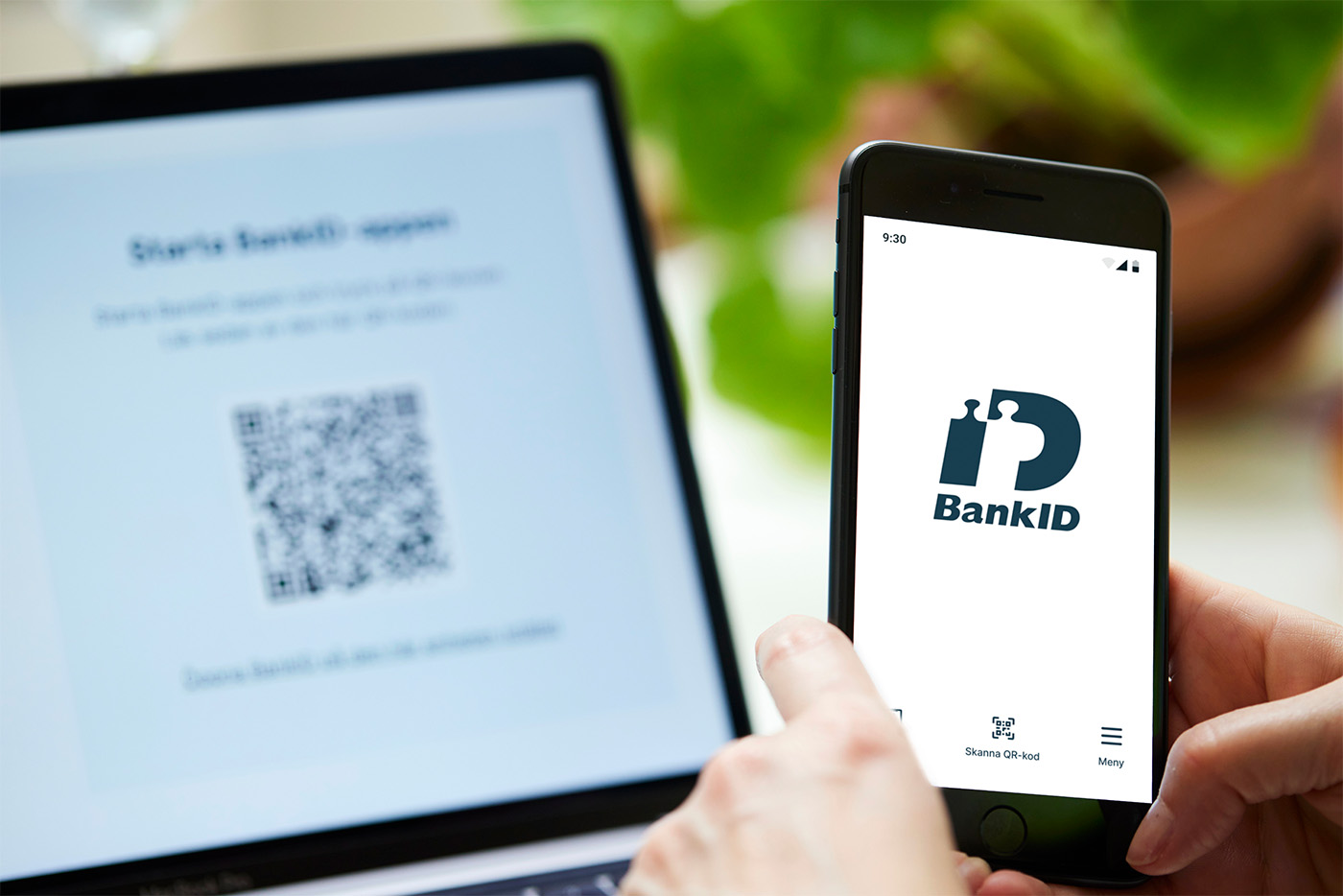
The QR code requirement (Secure Start): Since May 2024, when you log in to a service on a computer, you must scan a dynamically changing QR code with your phone camera rather than just entering your personnummer. This ensures your phone and the computer screen are physically in the same location and prevents remote fraud.
If your bank refuses
Banks are legally obligated under the EU Payment Accounts Directive to offer basic payment accounts to any legal resident of the EEA. They are not, however, obligated to issue BankID — that is considered a commercial service rather than a basic account function.
If a bank refuses to open an account, request the refusal in writing with a specific legal basis. You can then escalate to the bank’s internal complaints officer (Klagomålsansvarig), and if that fails, submit a free complaint to ARN (Allmänna reklamationsnämnden — the National Board for Consumer Disputes). ARN has ruled against banks that have been found to refuse service without conducting a genuine assessment of the individual situation.
The Swedish Consumers’ Banking and Finance Bureau (Konsumenternas Bank- och finansbyrå) also offers free guidance on what to do if a bank refuses you a service you are legally entitled to.
Getting BankID is the single most impactful administrative step in your first months in Sweden. Once it is active, the friction of daily bureaucratic life drops dramatically — almost overnight. If you have questions about your specific situation, leave a comment below and I’ll do my best to help.